Drawing tool
A drawing tool for the browser, 2026
Overview
A drawing surface that opens over the page and gets out of the way again. No account, no document, no save dialogue: a canvas, a toolbar of eight controls, and a PNG at the end of it if you want one.
It exists because every drawing tool I wanted to borrow came with a workspace attached. This one is six hundred lines and the whole of it is the stroke.
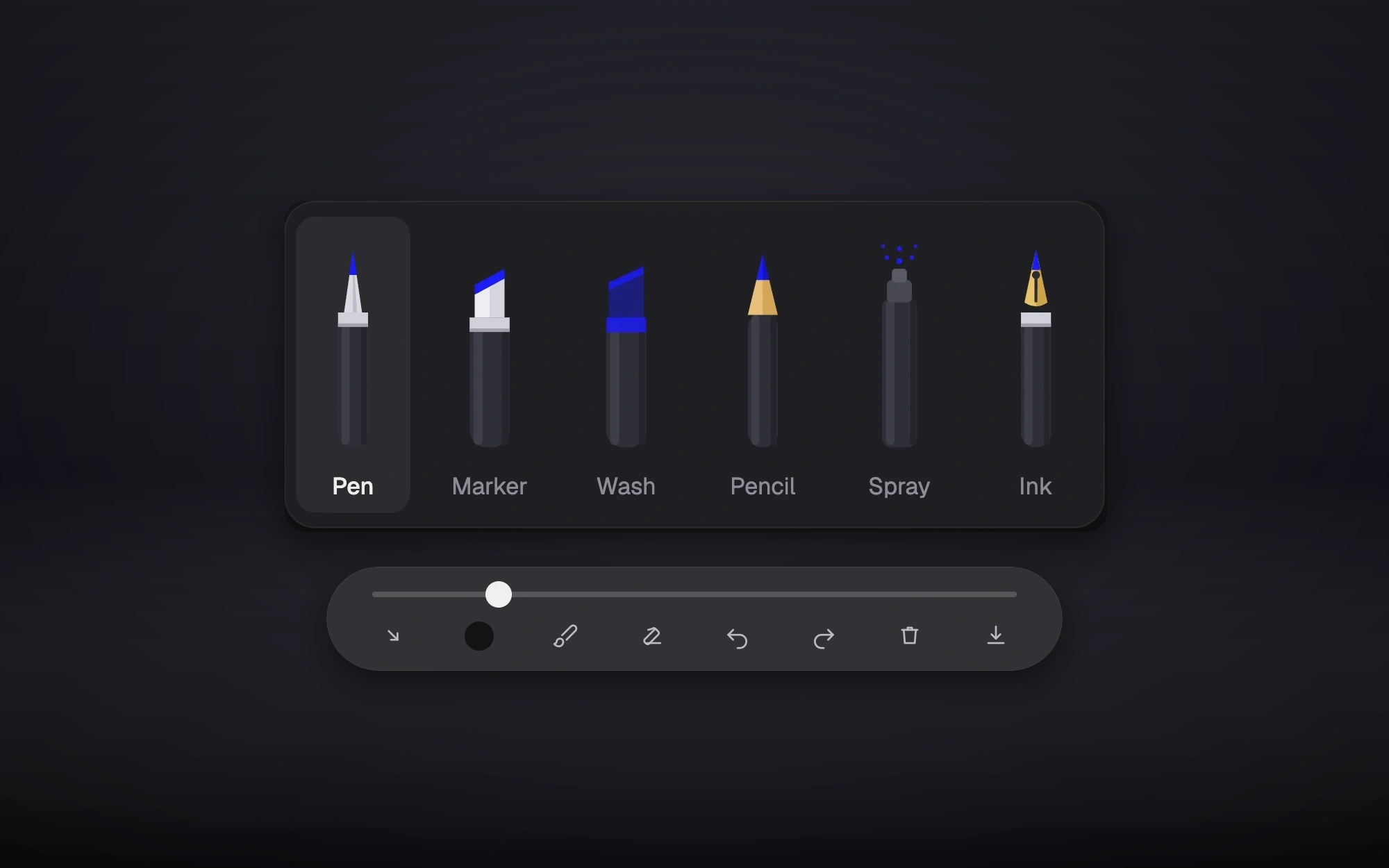
Six brushes
Pen, marker, wash, pencil, spray and ink. They are not six colours of the same line. Each is a different answer to the question of how wide to be, and that is the only question a brush really has.
Pen takes its width from pen pressure and then thins as the hand speeds up: a quarter off at full tilt, which is roughly what a nib does. Ink takes its width from direction instead: broad across the diagonal, fine along it, so a letterform comes out of the movement rather than out of a setting. Pencil and spray are not strokes at all: three dots a step, scattered within half a width for pencil and a full width for spray, which is grain rather than a line pretending to have grain.
What a stroke is
Every stroke is a run of quadratic curves between the midpoints of the points the pointer actually reported. Drawing straight to the reported points gives you the hand’s jitter and the browser’s sampling; going through the midpoints smooths both without any lag, because it only ever needs the point before.
Pressure comes off the pointer event. A mouse and a finger report none, so they get a steady middle value rather than a flat line. The same brush, with one of its variables held still.
Ink that does not stack
Marker and wash are translucent, and a translucent stroke drawn as one continuous path darkens wherever it crosses itself. Every loop and every overlap in a single gesture comes out as a darker patch, which is not what a marker does.
So those two are drawn opaque on a separate canvas and composited onto the picture once per segment, at a fixed alpha: four tenths for marker, a quarter for wash. One gesture is one layer of ink however many times it crosses itself, and the next gesture lays over the top.
Undo that never blocks
Undo is a bounded stack of snapshots of the whole canvas, which is the simple answer and usually the slow one: the obvious way to take a snapshot is synchronous, and on a large canvas it stops the page for long enough to feel it every time you lift the pen.
These are taken asynchronously instead, and restored from an object URL that is revoked as soon as the image has decoded. Lifting the pen costs nothing visible. The keyboard has it too, both spellings.
What comes out
A PNG, flattened onto a white ground so a drawing made on a dark page is still a drawing when it lands in somebody’s messages. It is numbered as it goes, experiment-1, experiment-2, because naming a doodle is a decision nobody wants to make on the way out.